








Desk Setup Tips for Focus and Comfort
Creating the perfect desk setup can make a big difference in how you work, study, or pursue creative projects. A well-arranged workspace not only helps improve your focus but also ensures your comfort throughout the day. Whether you work from home or in an office, paying attention to your desk setup can reduce distractions, prevent strain, and increase overall productivity.
In this post, we’ll explore practical tips to design a desk setup that supports both focus and comfort.
Why Your Desk Setup Matters
Your desk setup affects more than just aesthetics. It influences your posture, energy levels, and ability to concentrate. A cluttered or poorly organized space can contribute to distractions, physical discomfort, and fatigue. On the other hand, a thoughtfully arranged desk helps you stay on task and maintain good health.
Essential Elements of a Focus-Friendly Desk Setup
1. Choose the Right Desk
Start with a desk that fits your available space and meets your work needs. Consider:
– Size: Enough surface area for your computer, notebooks, and other essentials without feeling cramped.
– Height: Ideally adjustable or at a height that allows your elbows to rest at roughly 90 degrees when typing.
– Storage: Drawers or shelves help keep your workspace tidy and organized.
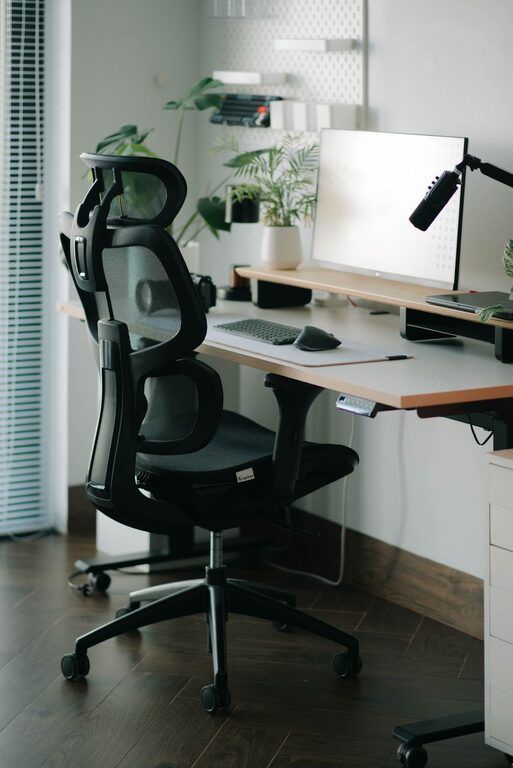
2. Invest in an Ergonomic Chair
Comfort starts with good seating:
– Adjustability: Look for chairs with adjustable height, lumbar support, and armrests.
– Posture: Your feet should be flat on the floor, knees at about a 90-degree angle, and back supported.
– Material: Breathable fabric can prevent discomfort during long hours.
3. Position Your Monitor Correctly
Proper screen placement prevents neck and eye strain:
– Place the monitor directly in front of you, about an arm’s length away.
– The top of the screen should be at or just below eye level.
– Tilt the screen slightly upward (10-20 degrees) for comfortable viewing.
4. Optimize Lighting
Good lighting reduces eye strain and promotes alertness:
– Use natural light when possible, but avoid glare on your screen.
– Position your desk near a window, but use blinds or curtains to control brightness.
– Include a desk lamp with adjustable brightness and direction for evening work.
5. Manage Cables and Accessories
Messy cables create visual clutter and frustration:
– Use cable organizers, clips, or sleeves to keep wires tidy.
– Keep frequently used items like pens, notebooks, or headphones within easy reach.
Tips for Enhancing Focus at Your Desk
1. Declutter Regularly
A clean workspace promotes clarity:
– Remove unnecessary papers and objects.
– Keep only the essentials on your desk.
– Schedule a quick tidy-up at the end of each day.
2. Use Noise Management Tools
Background noise can disrupt concentration:
– Consider noise-canceling headphones if you work in noisy environments.
– Use ambient sounds or white noise apps to help maintain focus.
3. Add Personal Touches
A few thoughtful decorations can boost comfort without distracting:
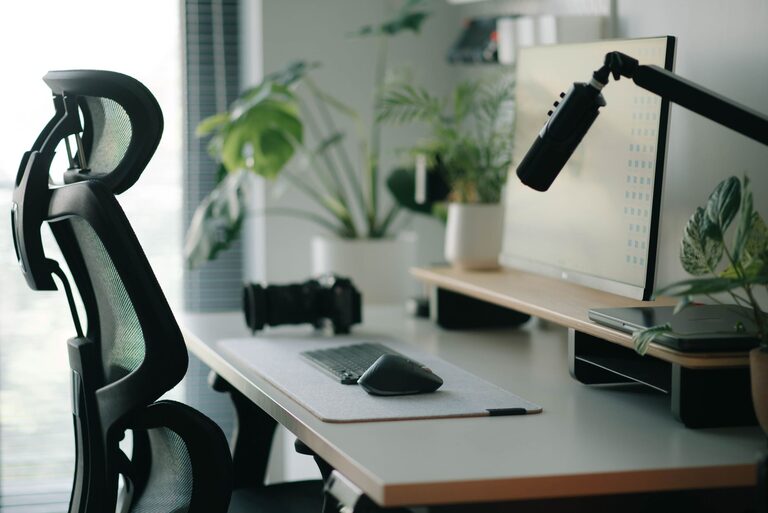
– Small plants improve air quality and add a calming touch.
– Photos or artwork can make your space inviting.
– Avoid excessive or overly bright decorations that might divert your attention.
4. Break Up Your Workday
Incorporate short breaks to prevent burnout:
– Stand and stretch every hour.
– Use a timer or productivity techniques like the Pomodoro method to balance work and rest.
Ergonomic Accessories to Consider
– Keyboard and Mouse: An ergonomic keyboard and mouse can reduce wrist strain.
– Laptop Stand: Raises your laptop screen to eye level, improving posture.
– Footrest: Helps maintain proper leg positioning if your feet don’t comfortably reach the floor.
– Monitor Arm: Offers flexible screen adjustment and frees up desk space.
Maintaining Your Desk Setup Over Time
Your needs and preferences may change, so revisit your setup regularly:
– Adjust your chair or desk height as needed.
– Replace worn accessories.
– Refresh your organizational system to fit your workflow.
Final Thoughts
A desk setup designed with focus and comfort in mind can transform your daily work experience. Paying attention to ergonomics, lighting, organization, and personal comfort creates an environment where productivity thrives. Start with these practical tips and customize your workspace to suit your unique style and needs.
By investing just a little time and care into your desk arrangement, you’ll find it easier to stay engaged, avoid discomfort, and enjoy your workday more fully.